Relationships in the Conceptual Model
The conceptual model includes the following relationships:
-
Identifying
-
Non-identifying
-
Many-to-many
On the diagram window, each relationship can show the following information:
- Parent end of relationship
- Child end of relationship
- Auto Routing: On or Off
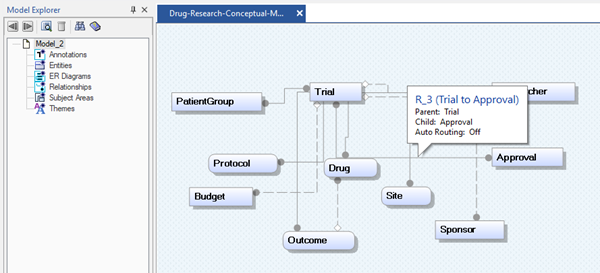
In a conceptual model, relationships also display in the Model Explorer, where you can add, review, delete, and modify them. You can also add a relationship using the Relationships editor or the Diagram window.
When you add a relationship, the relationship is labeled R_n, where R stands for relationship, and n is a unique number. Each number is assigned only once per model, and new relationship numbers are calculated beginning with the number zero.